


Choosing Photos For Website Design
by Cedar Studios • 12/4/2023
Web Design
Photography is one of the most important considerations for a small business website design. Where you get your photos, and how you format and display them, can be the difference between increasing your conversion rate and alienating your potential customers.
Composition & Style
When it comes to website design, you should first concern yourself with the composition of the photograph.
- Who or what is the subject?
- Does this send the right brand signals?
- Does it fit the style of the website?
Test: Is this a good photo for your small business website?

Answer: Almost certainly—no.
It is very clearly a generic and overused stock photo, which won’t stir your customers into converting.
The color scheme is a neutral brown, which likely does not match your business’s color scheme.
Finally, it tells no story.
What is the point of this image? What is trying to be conveyed here? That your business spends a lot of time in useless meetings?
In last week’s post—Live Look: Simple Website Design—we generated a very simple Hero section using a stock photograph.

INFO
You can see the live website template here.
Here’s what is better:
- The image tells a story (stuck in the snow—the main problem the fictious company solves)
- The color scheme matches (we used the hex-code filter in Pexels)
- The image doesn’t fight the call-to-action (try placing a CTA on top of the first image)
This is still a fairly generic stock image, however.
Something like this would be even better for a small business:

a random snow removal company we googled
Although this technically is not as pretty as a stock photo, this builds far more trust with your prospects than some generic, anonymous website with no original images.
INFO
For a discussion on photography style, see our posts on rounded vs. square images and the 10 principles of website design.
Professional or Stock Photos for Website Design?
On that note, should stock photos be used for a small business website design?
The answer is—it depends.
Whenever you can use your own photography, do it. Not only does it help build trust in your business, but Google rewards websites that don’t just churn other people’s images.
You don’t need a photographer to take your own photos, either. A recent iPhone and some decent lighting can get you a high-resolution image for your website.
That said, we frequently use stock photos for our newer web design clients who haven’t established a portfolio or brand strategy just yet.
Resolution & Orientation
Photo Resolution
We’ve discussed how to properly format and optimize your website’s images, so for now, let’s leave it at this—get the highest resolution (# of pixels) photo you can for your website.
Don’t just copy that 500x352 pixel image from Google search. Find the original version.
Retina devices (Apple) and many new laptops/phones have an increased pixel density, meaning that a 500px image on an iPhone is actually 1000px displayed at a smaller scale to look sharp.
That means that your low-resolution image will look twice as bad on an iPhone or similar device.
TIP
Shoot for at least 800px for mobile and 2000px for large desktop images.
Photo Orientation
Your image can either be portrait or landscape—vertical or horizontal.
We chose large, landscape photos for the Hero section on EnduringWordRadio.com.

For The Hair Lounge, we chose a portrait to balance out the heading and CTA.
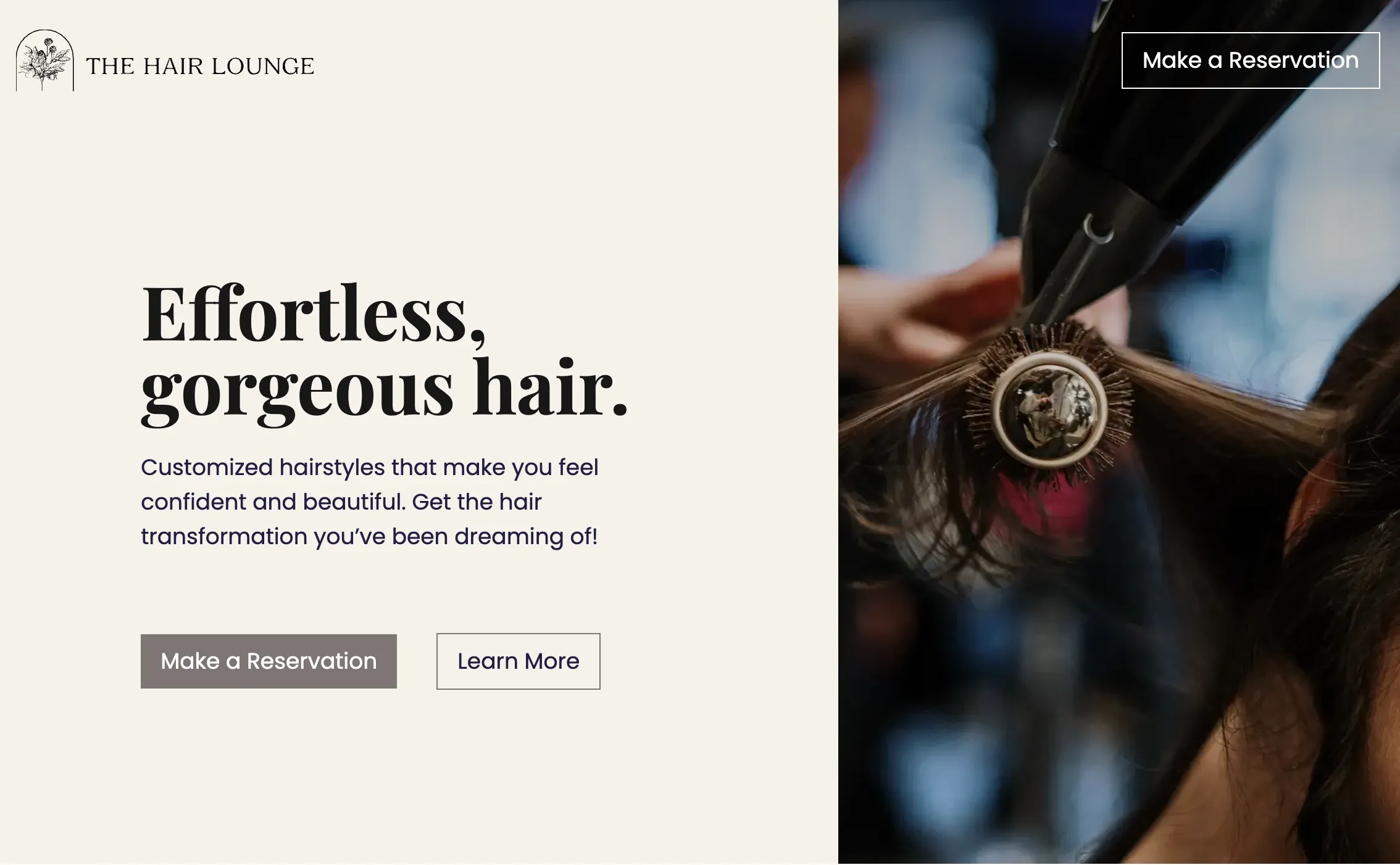
For Side-By-Side sections, you will likely want a portait. For landing sections, you will likely want a big landscape image.
When picking the image, it is also worth considering how it will look if you need to crop it later.

Portrait cropping preserves the subject of the image.

Landscape cropping ruins the subject of the image.
SEO Considerations
Although a small detail, make sure you are saving your images with a descriptive file name and alt text.
Example: that last image is saved as website-design-bad-photo-crop.png and has a similar alt text.
This makes way more sense to Google than SCR-00175320231204 v2.png.
Licensing
Finally, you will want to consider whether you have the rights to the images on your website. With most stock image websites, you are licensed to use the image—especially if you purchased it.
Take note of whether the website tells you to credit the image, however. This is as simple as adding a caption (and perhaps a link) underneath the image that directs an interested party to that image’s owner.
Don’t just save an image from Google search or another business’s website without permission. If caught, a cease-and-desist would be the nicest outcome.
Conclusion
Good photography can make or break a small business website. Don’t just throw some generic, soulless stock image on your site and call it a day. Make the time to take your own photographs, find stock images the right way, and format them correctly.
