

The 6 Types of Website Graphics
by Cedar Studios • 11/1/2023
Web Design
You can’t sell your product to an unengaged user. Website graphics are great at keeping users on-page and breaking up copywriting. There are two main types of web graphics: static and dynamic. Here we’ll discuss their subtypes and how to get the most out of them.
The 6 Types of Website Graphics
Static Graphics
Put simply, a static graphic is any visual asset that does not move or change. We can break these down into three main categories:
Images
Icons
Background Gradients
Images
In the age of short attention spans, images are a must for web design. The right image can capture attention, signal authority, and break up text-heavy website designs.
There are two main options here—photographs and graphic design.
Here’s a hero section from a recent client, Enduring Word Radio:

The landscape background is gripping—especially on a high-resolution screen.
Photos are also great for establishing trust. Take this hero section we explored in last week’s post on website design principles:

The main text (“Family Plumbing You Can Trust”) is reinforced by the image of a father and son. If they had gone with a generic background for their hero section, they would get less business.
We also mentioned graphic design elements. Here’s an example of a hero section that uses graphic design instead of a photograph:

These designs look nice and can be tailor-made to your brand. They are very popular for SaaS (software-as-a-service) and B2B (business-to-business) companies.
Learn more about where to get web design images.
Icons
If images are large building blocks that make up your website’s foundation, icons are the glue that brings it all together.
Icons are usually formatted as .svg file types, and can be found in badges, lists, and buttons:
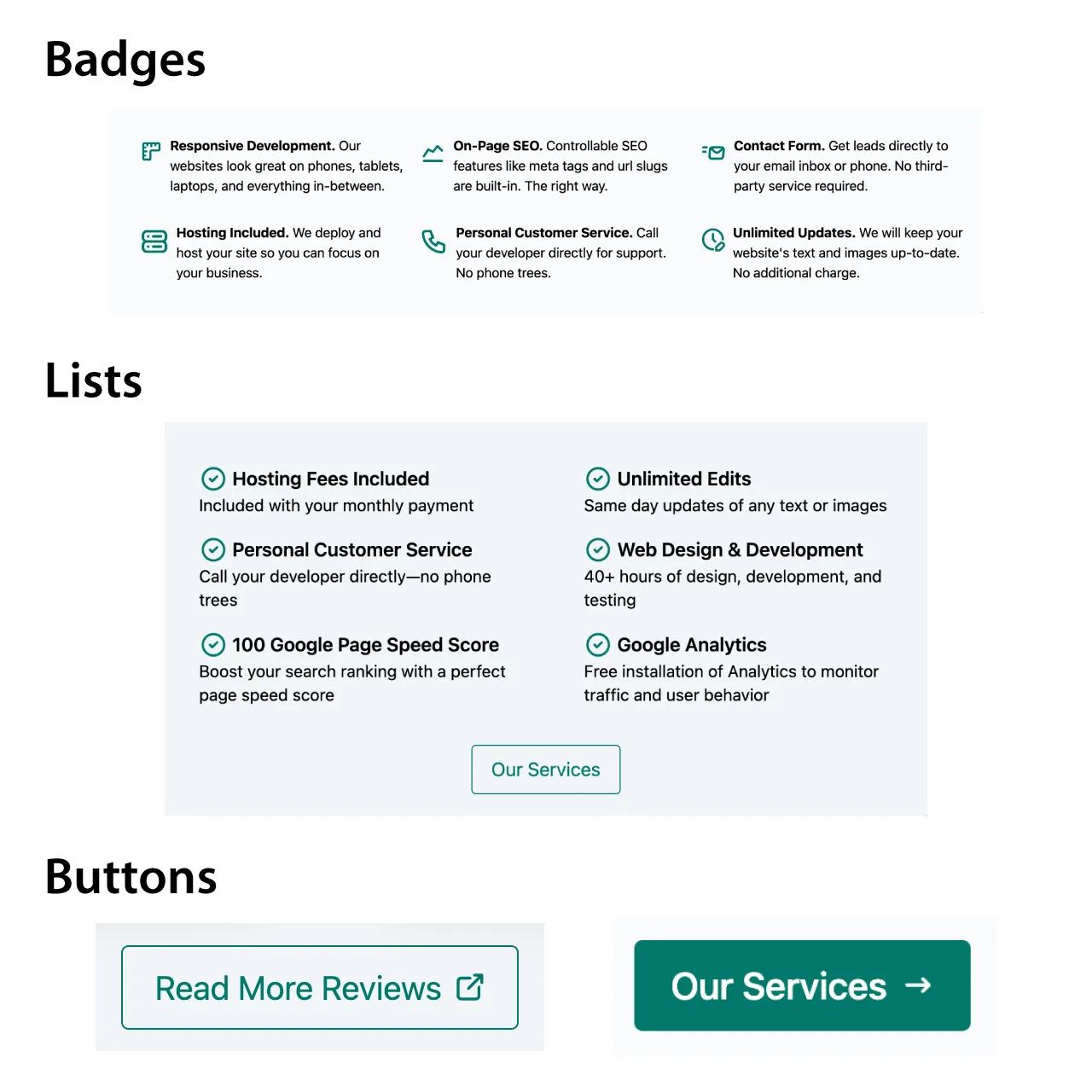
Examples from Cedar Studios website
Icons are small and often overlooked, but they give your website a dynamic feel and break up text blocks even further.
You can download svg icons for free on SVG Repo and Iconify.
Background Gradients
The last example of static web graphics are background gradients. These are most often found in hero sections, but can show up anywhere on a website.
Here is Stripe’s new landing page:

And a design template with a little more shape to the gradient:
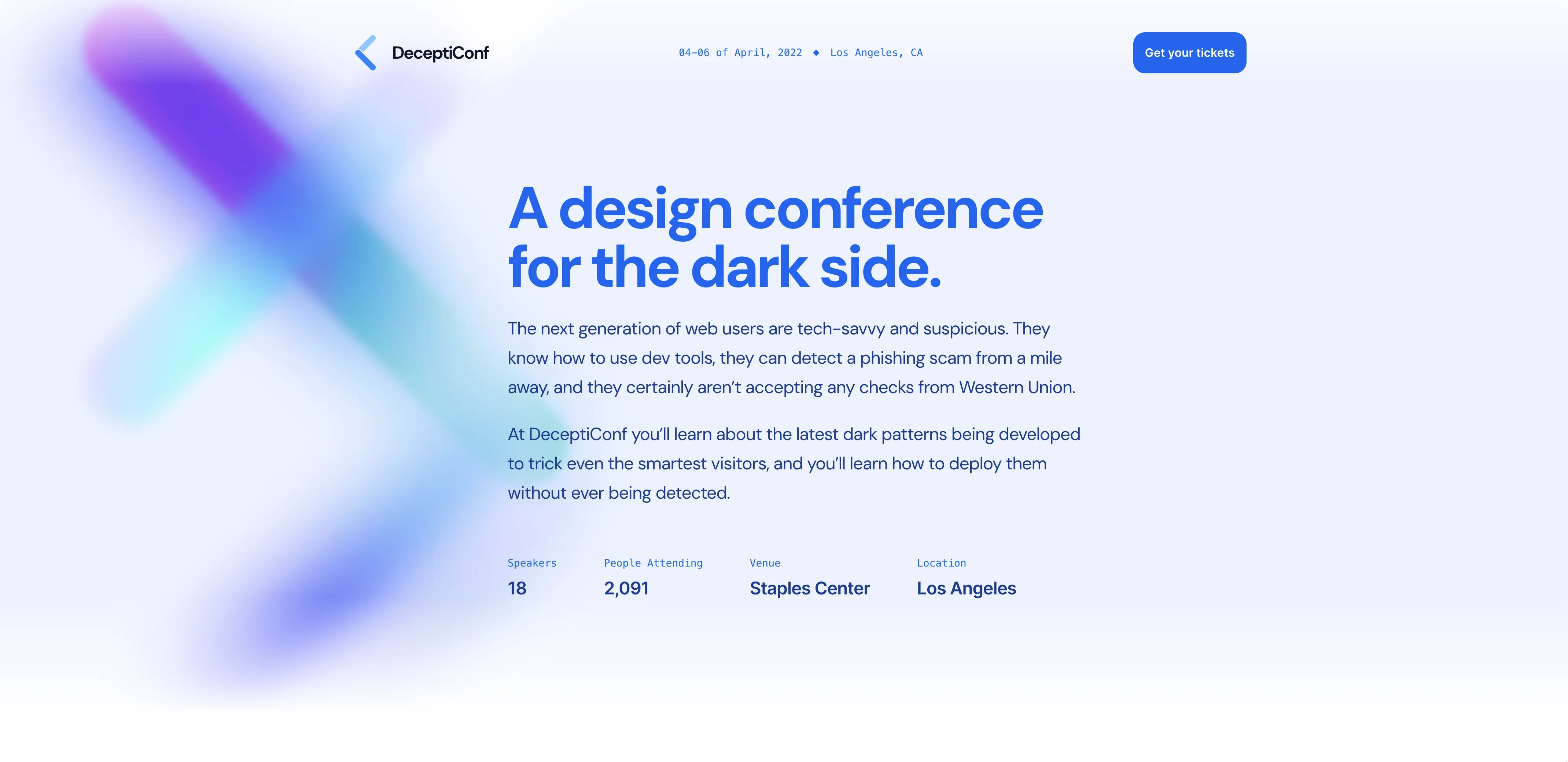
These are accomplished with either svgs or with pure CSS (see Grabient and CSS Pattern).
Either way, background gradients are a good solution when you want to reinforce branding through color without the distract of an image or logo.
Dynamic Graphics
Unlike static graphics, dynamic website graphics move and can be interacted with. We can break these down into three main categories:
Embedded Video
CSS Animations
Animate on Scroll
Embedded Video
The simplest way to bring dynamic content into your website is with an embedded video. It’s an old trick, but check your analytics—people still click on them.
From: Build a Landing Page in 10 Minutes with Astro and CodeStitch
Videos are a great way to infuse long-form content into your website without writing endless blocks of text.
On Youtube, click the Share button under a video, then click Embed to get the HTML code.
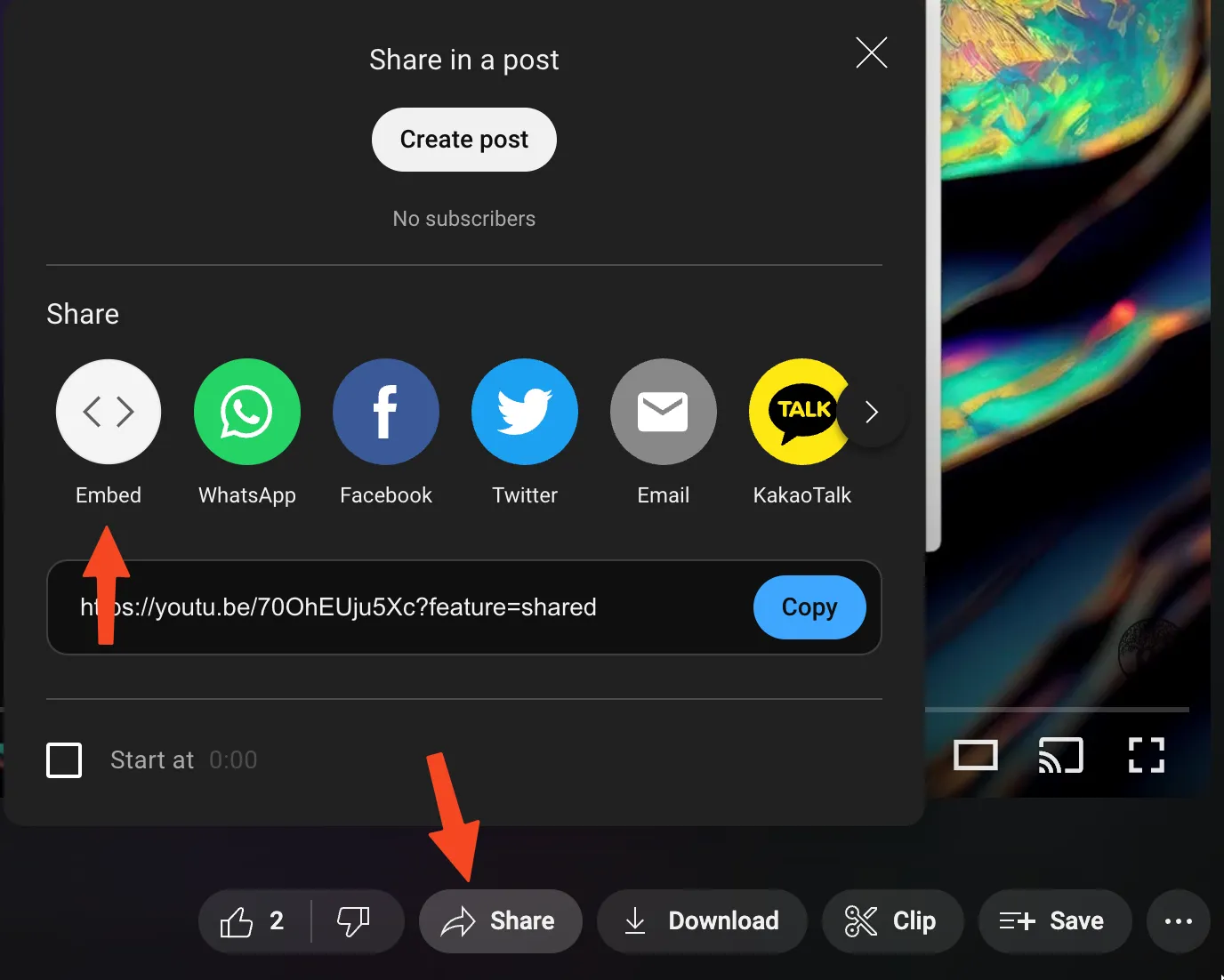
It should look like this:
<iframe
	width="560"
	height="315"
	src="https://www.youtube.com/embed/70OhEUju5Xc?si=9lm3cDJGoAJb98HR"
	title="YouTube video player"
	frameborder="0"
	allow="accelerometer; autoplay; clipboard-write; encrypted-media; gyroscope; picture-in-picture; web-share"
	allowfullscreen>
</iframe>
CSS Animations
In the CSS language (standard for any website since the 90’s), animations can be used to bring web graphics to life.
Here’s a custom component that illustrates just that:
If you open your Dev Tools, you’ll see how we managed this:
#container {
    width: 100%;
    height: 16rem;
    display: flex;
    justify-content: center;
    align-items: center;
    padding-bottom: 2rem;
}

svg {
    width: 16rem;
    height: 16rem;
}

#smoke-1 {
    stroke-dasharray: 0, 10;
    animation: smoke 6s ease infinite;
}

#smoke-2 {
    stroke-dasharray: 0, 10;
    animation: smoke 6s 0.5s ease infinite;
}

@keyframes smoke {
    0% {
      stroke-dasharray: 0, 10;
    }
    50% {
      stroke-dasharray: 10, 0;
    }
    100% {
      stroke-dasharray: 10, 0;
      opacity: 0;
    }
}

.line {
    opacity: 0;
}

#line-1 {
    animation: writing 0.5s linear forwards;
}

#line-2 {
    animation: writing 0.5s 1s linear forwards;
}

#line-3 {
    animation: writing 0.5s 1.5s linear forwards;
}

#line-4 {
    animation: writing 0.5s 2s linear forwards;
}

@keyframes writing {
    0% {
      width: 0rem;
      opacity: 1;
    }
    100% {
      width: 0.875rem;
      opacity: 1;
    }
}
CSS Animations can be a great way to bring sections of your website to life without slowing down your page speed with large videos and gifs.
Animate on Scroll
Modern websites make frequent use of CSS animations as the user scrolls down the website, bringing elements in from the sides or fading in from the bottom.
Animate On Scroll is a popular library for achieving this effect. Scroll through their demo site and see if you recognize any of the effects.
Resources
Gradients – Grabient, CSS Pattern
Videos – Youtube, Storyblocks
CSS Animations – Free Frontend
Animate on Scroll – AOS Github
Conclusion
Use static and dynamic website graphics to keep your users engaged as they learn about your business. If you want to know more, read about where web designers get their images and how to break up a text-heavy site design.
